
Demo
Enabling alerts
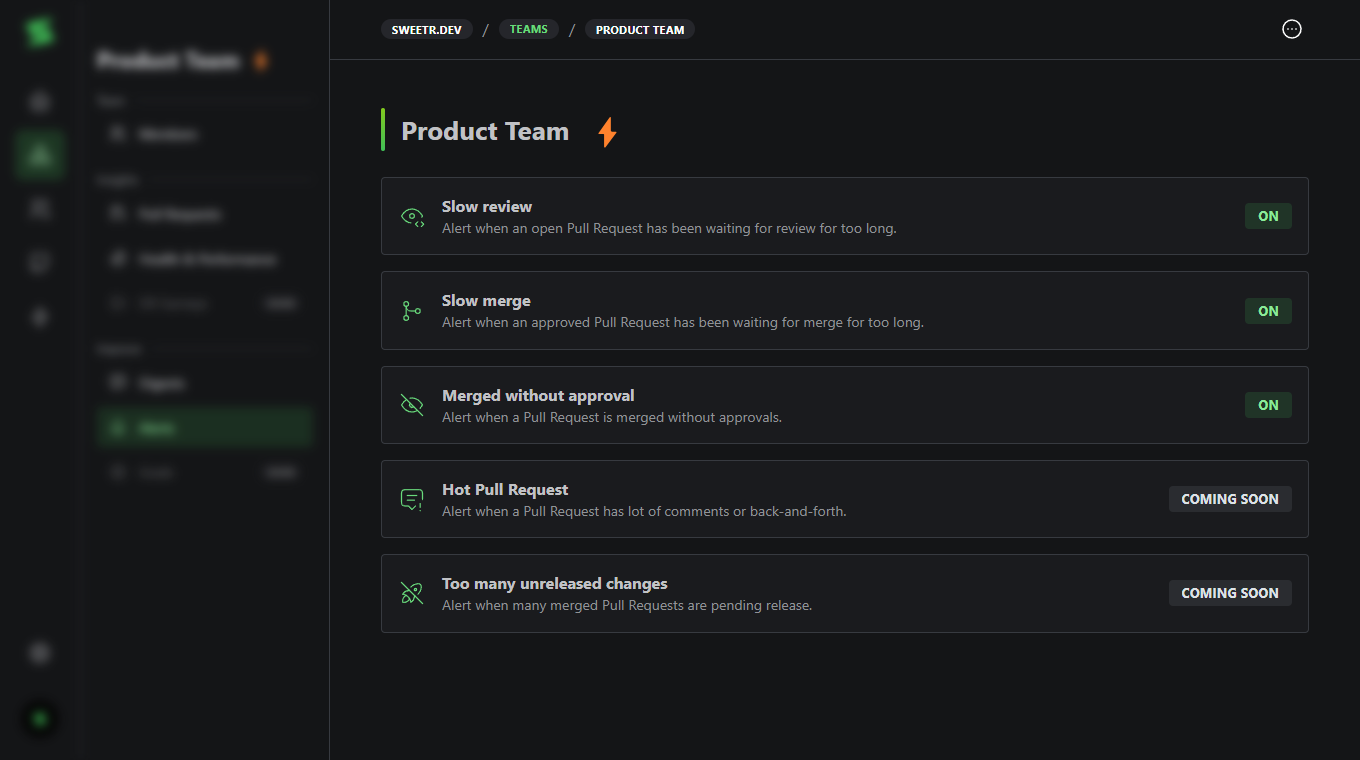
Navigate to Teams > [Your Team] > Alerts to configure alerts. Each alert type can be toggled on or off, and you can set a specific Slack channel per alert.Alert Types
Slow review
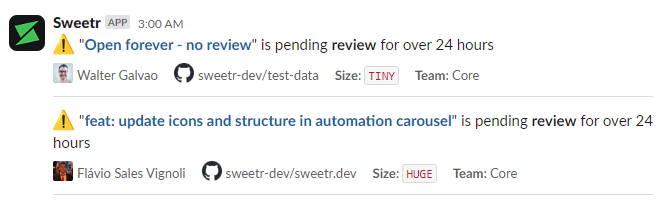
Alert when an open Pull Request has been waiting for review for too long. You
can configure the minimum idle time (1 to 168 hours) to trigger the alert.
Improves cycle time Improves time to approval
Slow merge
Alert when an approved Pull Request has been waiting for merge for too long.
You can configure the minimum idle time (1 to 168 hours) to trigger the alert.
Improves cycle time Improves time to merge
Merged without approval
Alert when a Pull Request is merged without approvals.
Improves failure rate
(Coming Soon) Hot Pull Request
Alert when a Pull Request has a lot of comments or back-and-forth.
(Coming Soon) Too many unreleased changes
Alert when many merged Pull Requests are pending release.